Remove Background from a Signature Image and Export a Transparent PNG
Need a cleaner signature image for PDFs, letters or invoices? You can try Clearcutt's on-device background remover and save a PNG without uploading your signature. It uses a general subject-segmentation model: removing only the paper around thin ink strokes is not guaranteed. Check the result against a dark background, inspect the exported PNG, and use Erase or Restore where needed. A dedicated scanning or threshold tool may be a better fit for ink-only transparency. For exam forms, first check whether editing is allowed and whether the portal requires a white-paper JPG.
When to use a transparent signature PNG—and why exam forms require JPG instead
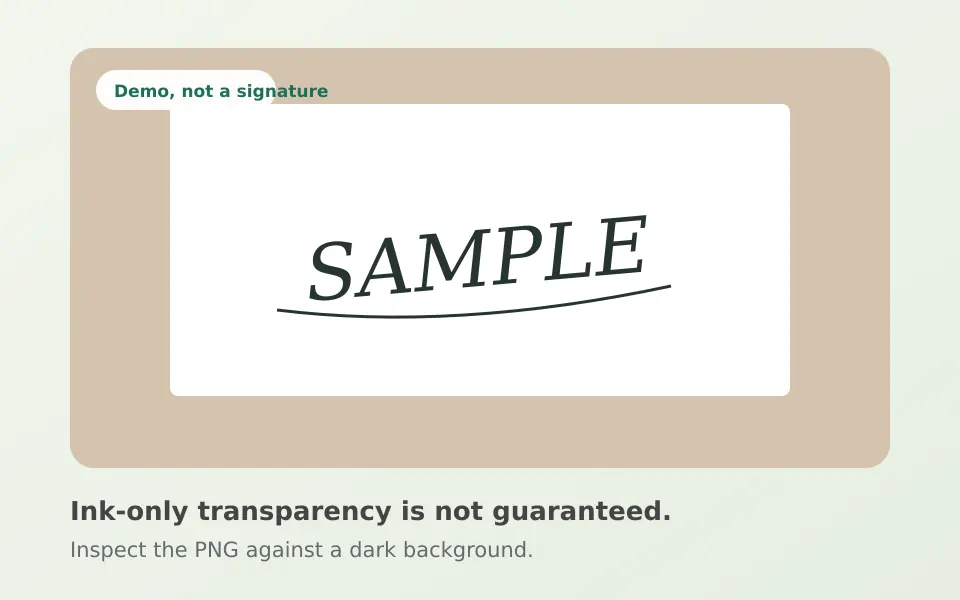
A PNG can store transparent pixels, allowing a cutout to sit over a document without a rectangular backdrop. Clearcutt uses a general subject-segmentation model rather than a document scanner, so it may keep some or all of the paper around a signature. Preview against a dark background, inspect the exported PNG, and refine with Erase and Restore. Ink-only transparency is not guaranteed.
Do NOT upload a transparent PNG signature to Indian government or banking exam portals, and do not convert a transparent PNG blindly to JPG in basic viewers that turn transparent pixels solid black. Official exam portals require opaque JPG/JPEG files signed on white paper with strict rules that vary by notice:
- UPSC (2026 CAF notices such as CAPF AC 2026 and IES/ISS 2026): Sign three times (one below the other) on plain white paper using black ink and upload in .jpg format between 20 KB and 100 KB (other notices such as ESE 2026 specify 20 KB to 300 KB .jpg).
- SSC (SI CAPF 2026 & Scribe OTR): Scanned horizontal signature in JPEG/JPG format between 10 KB and 20 KB (about 4.0 cm × 2.0 cm on candidate notices, or 6.0 cm × 2.0 cm on Scribe OTR); blurred or miniature signatures are rejected.
- IBPS (CRP PO/MT-XVI 2026 & regional notices): Black-ink signature on white paper, 140×60 pixels preferred, 10 KB to 20 KB in .jpeg/.jpg, not in capital letters; some IBPS-hosted notices require a 200+ DPI scan and explicitly reject mobile-phone signature photos.
- NTA (UGC-NET June 2025): Full running-hand signature (not capital letters) in blue or black ink on white paper, uploaded in JPG/JPEG format between 4 KB and 30 KB.
How PNG alpha transparency displays across image viewers
Passport Seva and Indian exam portrait white-background rules
Sources: Clearcutt editor and export notes · UPSC 2026 examination notices · UPSC Engineering Services 2026 notice · SSC SI in Delhi Police and CAPF 2026 notice · SSC scribe one-time registration · IBPS CRP PO/MT-XVI notification · IBPS photograph and signature scanning guidelines · NTA UGC-NET June 2025 bulletin
Step 1: Sign cleanly and crop tightly before uploading to Clearcutt
Because Clearcutt's AI models evaluate a 512×512 internal image representation rather than running a document scanner contrast threshold, uploading a full uncropped A4 sheet shrinks your signature into a tiny strip of pixels where hairline pen strokes can disappear.
For the sharpest mask: sign with a dark black or blue rollerball, gel, or smooth ballpoint pen on unlined white paper (avoid ruled notebook lines, stamps, or faint pencil). Photograph or scan straight down in even daylight with no phone shadow across the paper, then crop closely around the signature rectangle before selecting the file in Clearcutt.
Sources: Clearcutt model and runtime notes
Step 2: Isolate ink strokes, check enclosed loops, and export PNG
Open Clearcutt on desktop Chrome or Edge and upload, drop, or paste your cropped JPG, PNG, or WebP signature image (up to 20 MB and 25 megapixels). 'Standard · original model (98 MB)' is the default; 'Detailed · larger model' swaps in larger weights (up to 473 MB first-run download on supported hardware, with automatic fallback to the 98 MB Standard model) and adds a focused second pass only when the detected subject occupies under 85% of the frame, so it may not run on a tightly cropped signature. Compare both modes against a dark background swatch before you export.
- Preview against a dark swatch: Temporarily click the dark green (#20372f) background swatch to spot pale paper halos around the ink or leftover white islands trapped inside closed loops of letters like 'a', 'e', 'o', 'd', and 'g'.
- Clean with Erase and Restore: Select 'Erase' with a small brush (5–20 px on the 5–150 px slider) to clear paper specks inside letter loops, and use 'Restore' to bring back faint pen tails or dots. Remember that 'Undo' can revert several recent strokes, while 'Reset cutout' restores the initial AI mask.
- Choose background and Trim empty edges: Switch back to the Transparent checkerboard swatch for digital document signing (or White #ffffff if you need a white-background JPG). For document signatures, checking 'Trim empty edges' is helpful because it crops 'clearcutt.png' tightly around whatever the model kept, without extra empty canvas.
Sources: Clearcutt input requirements · Clearcutt model and runtime notes · Clearcutt editor and export notes
Local signature privacy, supported devices, and unsupported formats
Handwritten signatures are sensitive personal identifiers. In Clearcutt, your selected image, its cutout mask, and your brush edits stay in your browser's memory on your device and are never uploaded to Clearcutt's backend or stored in a database. Download your PNG before closing or refreshing the tab, as ending the session discards the cutout in the app.
Desktop Chrome or Edge is recommended. Android Chrome runs the 98 MB Standard model by default and has worked in user testing, though universal phone compatibility is not guaranteed on low-memory devices; iOS/iPadOS and HEIC files are unsupported. Clearcutt exports raster PNG and JPG files. It does not trace vector SVG paths, create PDFs, or set 200 DPI. Use a separate image utility for these requirements. For JPG, you can set exact pixel dimensions and a maximum file size in KB.
Read Clearcutt's local-processing privacy policy
Sources: Clearcutt editor and export notes · Clearcutt platform support notes · Clearcutt privacy policy
Editorially checked on 2026-11-13. Product behaviour can change; this guide is reviewed against the current editor and the official sources listed on this page.
Isolate your signature in the free browser editor →
Frequently asked questions
How do I get the cleanest transparent PNG from a signature on paper?
Sign with dark black or blue ink on plain unlined white paper in even shadow-free light, and crop closely around the signature so the 512px segmentation model has more pixels to work with. Try Standard and Detailed mode on desktop Chrome or Edge, inspect the result against a dark background swatch, refine with a small Erase or Restore brush, and click Download PNG. Ink-only transparency is not guaranteed: always inspect the exported PNG, and consider a dedicated scanning or threshold tool if you need ink-only cutouts.
Why do very thin pen lines or inner letter loops sometimes need manual cleanup?
Clearcutt uses a 512px general subject-segmentation neural network rather than document contrast thresholding or vector tracing. Hairline ballpoint strokes, ruled paper lines, or uneven shadows can leave faint paper inside closed loops or soften thin pen tips, which you can adjust with the 5–150 px Erase and Restore brushes.
Should I upload a transparent signature PNG to UPSC, SSC, IBPS, or NTA exam portals?
No. Indian exam portals generally require opaque JPG/JPEG files signed on white paper with notice-specific rules—such as three stacked black-ink signatures in 20–100 KB .jpg for UPSC 2026 CAF notices, 10–20 KB JPEG for SSC and IBPS, or 4–30 KB JPG for NTA—and some IBPS notices reject mobile-camera signature photos. Always follow your official notification.
Can Clearcutt export my signature as an SVG vector or a 10 to 20 KB JPG?
Clearcutt can download a raster JPG at the current pixel dimensions or crop to the cutout with Trim empty edges. Set the maximum to 20 KB and check that the file meets any 10 KB minimum. SVG vector export is unavailable.
Is my handwritten signature uploaded or stored on Clearcutt's servers?
No. Your signature photo, cutout mask, and brush edits stay in local browser memory on your device and are never uploaded to Clearcutt's servers. Save your PNG before closing the tab, because closing or resetting clears the session.