White Background for Passport and Indian Exam Form Photos: Rules and Limits
Read your official portal instructions before editing any ID or application portrait: some authorities prohibit software-edited photographs or capture live webcam photos during registration. Where background cleanup is allowed, Clearcutt can place your portrait on solid white (#ffffff) locally in your browser without uploading your photo, then download a JPG. Set a maximum JPG size in KB if needed. Enter the required width and height in pixels when the notice specifies them.
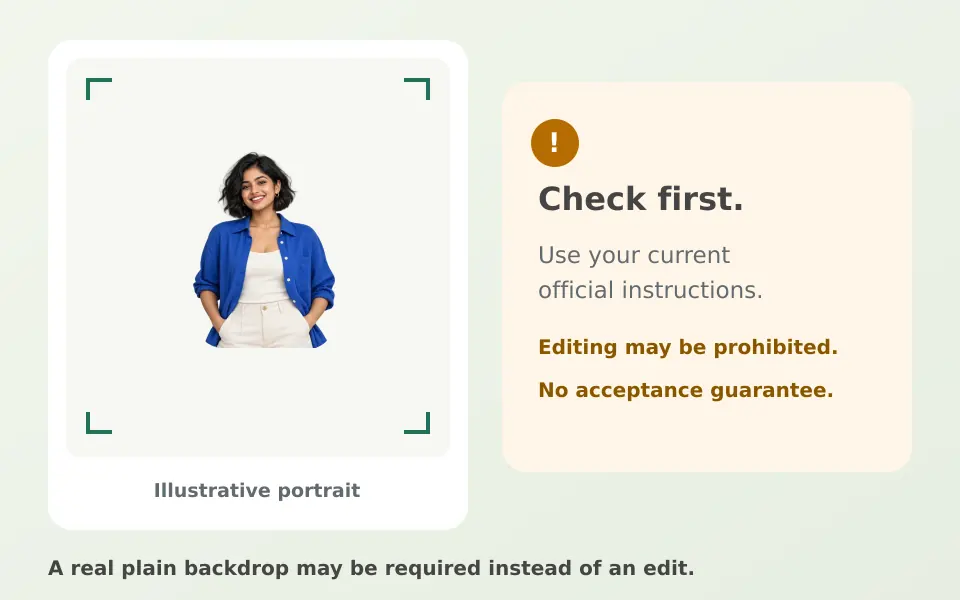
Check first: software editing may be prohibited or replaced by live capture
Official Passport Seva ICAO guidelines for uploaded passport photographs require a white background and 630×810 pixel colour framing (80–85% face coverage), and explicitly state: 'Photos should be unaltered by computer software.' In addition, Passport Seva Kendra (PSK) and Post Office Passport Seva Kendra (POPSK) appointments do not require a pasted photograph on the form because your photo is captured at the centre, while physical DPC/SPC/CSC collection-centre forms require an unsigned 4.5 cm × 3.5 cm colour print on photo paper against a plain white background.
Several major recruitment portals also restrict or bypass pre-edited photo files. Staff Selection Commission (SSC) candidate notices capture a live photograph via webcam or phone against a plain well-lit background instead of asking candidates to upload a pre-existing portrait. Recent UPSC Common Application Form (CAF) and IBPS CRP notifications require both a scanned photograph upload and a live webcam/mobile photo capture, and NTA bulletins state that Polaroid and computer-generated photographs are not acceptable. Whenever an authority forbids software alteration, retake the photograph in front of a real plain white wall in even daylight.
Sources: Passport Seva ICAO photograph guidelines · Passport Seva application instruction booklet · SSC SI in Delhi Police and CAPF 2026 notice · UPSC 2026 examination notices · IBPS CRP PO/MT-XVI notification · NTA UGC-NET June 2025 bulletin
Why there is no single 'government exam photo size' in India
Format, file-size (KB), and framing requirements change across commissions and even between different exam notifications from the same body. Always verify the exact PDF notification for your current exam cycle rather than relying on generic presets:
- UPSC (varies by notice): 2026 Common Application Form notices (such as CAPF AC 2026 and IES/ISS 2026) require a scanned .jpg photograph between 20 KB and 200 KB plus live photo capture, whereas Engineering Services 2026 specified 20 KB to 300 KB in .jpg format.
- SSC (varies by workflow): Candidate exam modules (such as SI in Delhi Police & CAPFs 2026) use live photo capture without cap, mask, or spectacles; however, SSC's Scribe One Time Registration portal accepts an uploaded JPEG/JPG photograph of 20 KB to 50 KB (about 3.5 cm × 4.5 cm).
- IBPS (CRP notifications): Recent CRP PO/MT-XVI (2026) guidelines specify a 4.5 cm × 3.5 cm colour photograph (200×230 pixels preferred, 20 KB to 50 KB in .jpeg/.jpg) against a light, preferably white background, alongside mandatory live photo capture.
- NTA (information bulletins): UGC-NET June 2025 specifies a scanned JPG/JPEG photograph of 10 KB to 200 KB showing 80% face including ears against a white background, without cap, goggles, or mask.
Sources: UPSC 2026 examination notices · UPSC Engineering Services 2026 notice · SSC SI in Delhi Police and CAPF 2026 notice · SSC scribe one-time registration · IBPS CRP PO/MT-XVI notification · NTA UGC-NET June 2025 bulletin
How to add a #ffffff white background in Clearcutt (only where permitted)
When you are preparing an ID, college, office, or form portrait whose rules permit replacing a distracting home backdrop, start with a sharp, front-facing photo taken at eye level in even lighting, with both ears visible and no harsh face shadows or eyeglass glare. Clearcutt edits only the background mask—it does not relight faces, remove spectacle reflections, or retouch clothing.
- 1. Open Clearcutt on desktop Chrome or Edge (Android Chrome runs the 98 MB Standard model by default and has worked in user testing, though low-memory phones can fail; iOS/iPadOS and HEIC are unsupported).
- 2. Select, drop, or paste your JPG, PNG, or WebP portrait (up to 20 MB and 25 megapixels). Your photo stays in local browser memory and is never uploaded to Clearcutt's backend.
- 3. After the 512px AI mask finishes (about 98 MB model download on first Standard run, or up to 473 MB in Detailed mode), click the White background swatch to fill the backdrop with pure #ffffff (RGB 255, 255, 255).
- 4. Toggle between 'Result' and 'Original'. Use 'Restore' and 'Erase' (5–150 px brush; multi-step 'Undo' and 'Reset cutout' available) to clean stray hair, ear contours, and dark collar edges.
- 5. Leave 'Trim empty edges' UNCHECKED, then click 'Download PNG'. Checking 'Trim empty edges' crops tightly to the subject's outer edge with zero head or shoulder margin—even when White (#ffffff) is selected.
Portrait edge refinement tips for hair, collars, and glasses
Hinglish step-by-step guide: Photo ka background kaise hataye
Sources: Clearcutt input requirements · Clearcutt model and runtime notes · Clearcutt editor and export notes · Clearcutt platform support notes · Clearcutt privacy policy
JPG export and checking exact dimensions, DPI and file size
Set JPG dimensions sets the exported width and height in pixels and preserves the photo's proportions with white padding where needed. Use Limit JPG file size to set a maximum in KB. When both are set, the editor keeps the requested dimensions and asks for a larger limit if it cannot meet the cap. Use a separate image utility for prescribed framing or DPI.
When editing is allowed, verify the exported pixel dimensions, file size, and head-and-shoulders framing against the official notice before uploading.
Signature background removal and exam JPG rules
Sources: Clearcutt editor and export notes · UPSC 2026 examination notices · IBPS CRP PO/MT-XVI notification · NTA UGC-NET June 2025 bulletin
Editorially checked on 2026-11-13. Product behaviour can change; this guide is reviewed against the current editor and the official sources listed on this page.
Open the free browser background editor →
Frequently asked questions
Does Clearcutt guarantee acceptance on Passport Seva or government exam portals?
No. Clearcutt is not passport-certified and cannot guarantee acceptance on any portal. Official Passport Seva ICAO upload guidelines require photos to be unaltered by computer software, and portals such as SSC, UPSC, and IBPS use live webcam or phone photo capture for all or part of registration. Always check your official notice before editing.
Does Clearcutt apply pure white (#ffffff) to the photo background?
Yes. Choosing the White swatch fills the background behind your cutout with solid hex #ffffff (RGB 255, 255, 255). It does not fix shadows on your face, red-eye, or glare on spectacles, so start with an evenly lit front-facing photo.
Can Clearcutt export a 20 KB to 50 KB JPG or crop to 3.5 x 4.5 cm?
Set the maximum to 50 KB before downloading JPG. Check that the file also meets any required 20 KB minimum. Enter exact pixel dimensions if specified. Use a separate image utility if the notice requires a physical print size or DPI.
Should I check Trim empty edges for an ID or exam form portrait?
No. Keep Trim empty edges unchecked. When checked, Clearcutt crops tightly to the detected person's outline with zero space above the head or beside the shoulders—even on a #ffffff white background—which ruins standard ID framing.
Are my ID or application photos uploaded to Clearcutt's servers?
No. Your selected photograph, mask, and brush adjustments stay in local browser memory on your device and are never uploaded to Clearcutt's backend. Closing the tab or clicking New photo clears the editing session.