Car Background Remover: Remove Car Photo Backgrounds Free
Remove a car’s background free in your browser. Your photo stays on your device. Refine glass and wheels, then download a transparent or solid-colour PNG.
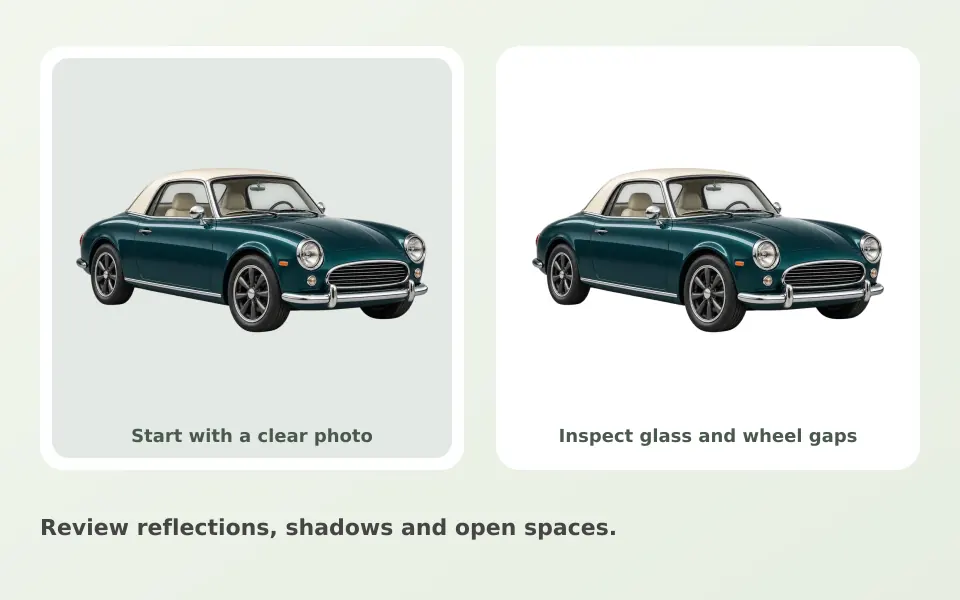
How to remove a car’s background
Upload one sharp photo of the vehicle, run background removal on your device, inspect the cutout, then download a transparent or solid-colour PNG. Clearcutt is free, needs no signup and adds no watermark. Glass reflections and wheel gaps may need brush work, so inspect them before downloading.
Prepare the vehicle image
Use a sharp side or three-quarter view with the whole car in frame. Busy scenes and overlapping vehicles make it harder to judge the outline. A single car against a plain wall or open sky gives the model the cleanest edges to find.
Inspect glass, mirrors and wheels
Check the gaps under the body, the mirror edges and the wheel spokes. Glass can retain reflections from the original surroundings because the window literally shows the background that was there. Brush tools correct the mask but cannot recreate what was hidden behind transparent windows.
Make an honest listing image
A neutral background can make listing photos consistent. Keep the vehicle’s real condition visible and follow the platform’s image rules. Clearcutt does not blur license plates, generate synthetic shadows, or offer dealership integrations; edit plates deliberately in a tool built for that if your listing requires it.
Export and reuse the cutout
Keep transparency for a design layout, or choose white or a custom color for a consistent catalog. Trim empty edges if the cutout leaves unused canvas around the car. Download PNG before closing the tab, and run the editor again for the next photo: the editor handles one photo at a time and batch processing is not available today. The general workflow is in the background removal guide.
Frequently asked questions
Is there a free car background remover?
Yes. Clearcutt is free to use, adds no watermark and does not require an account. Background removal runs in your browser, so your photo stays on your device.
What photo works best for a car background remover?
Use a sharp side or three-quarter view with the whole car in frame. A single car against a plain wall or open sky makes its outline easier to detect. After processing, check wheel gaps, mirrors and glass.
Why do the windows keep reflections from the old background?
Glass is transparent, so the photo of the window contains the original surroundings. The mask marks the car as subject, but the reflections inside the glass remain in the pixels. Heavy reflections may need retouching in another editor.
Can Clearcutt blur or cover my license plate for a listing?
No. Clearcutt does not blur license plates or hide details. Use an editor built for that if your platform or privacy needs require it.
How do I clean up the wheel spokes and the gaps under the car?
Zoom in and use the Erase brush to remove leftover background fragments and the small Restore brush to bring back missing parts. Check the mirror edges too; thin protruding parts are the most common mask errors on vehicles.
Can I get a white studio-style background for my car photos?
You can select white or a custom solid color in the editor for a consistent catalog look. Clearcutt does not add synthetic shadows or studio lighting, so the result is a flat, honest background rather than a simulated studio shot.
Can I process a whole set of listing photos at once?
Not currently. The editor handles one photo per run and batch processing is not available today. There is no public API or dealership integration for automation.